
OpenFront · Maps · Guide
OpenFront Maps — Full List, Sizes and Which Map to Pick
OpenFront maps explained: the continental and regional map lists, how sizes and rotation work, and which map suits the opening you want to play.
By the New Game Wiki team · Updated 2026-10-04
On this page (10)
- How OpenFront Maps Shape a Match
- Continental Maps
- Regional and Special Maps
- Map Sizes, Rotation and Loading
- Choosing a Map for Your Plan
- How many maps does OpenFront have?
- Which OpenFront map is best for beginners?
- What is the difference between Europe and Europe Classic in OpenFront?
- Why is my OpenFront map not loading?
- Does the map change how a match plays out?
OpenFront maps are not cosmetic backdrops. Each one changes how fast you can expand, how much water is available for ports, and how many neighbours you will share a border with. Some maps reward a slow, fortified opening, others reward fast expansion or naval trade. This page maps out the full list, explains how sizes and rotation work, and helps you pick a map that matches the way you want to play.
How OpenFront Maps Shape a Match
Every map is a grid of terrain tiles over which hundreds of players expand, and a game is considered complete when one side holds around 80% of it. The decisive variables are how much water the map contains and how flat the land is. Coastal and island-heavy maps make ports and trade ships the strongest economy, while mountainous maps slow ground expansion and push players toward longer, grindier wars. A map with wide open borders also means more neighbours, which raises the value of alliances and makes a defensible pocket spawn much more attractive.
Continental Maps
The continental group covers the world and its large regions. These are the maps most players start on, because they combine recognisable geography with a mix of plains, hills, mountains and coastline.
| Map | Character |
|---|---|
| World | All seven continents and five oceans, with canals; one of the best trade and warship maps |
| Giant World Map | A larger World with the Panama Canal but no Suez Canal; heavy on water traffic |
| North America | Mostly hilly and mountainous with plains near the coasts; many rivers |
| South America | Mostly flat with mountains and hills, plus the Panama Canal; strong for trade |
| Europe | Flat centre and east, mountains in Scandinavia and the Alps; excellent for ports |
| Europe Classic | The older Europe without rivers, kept for lower-end devices |
| Asia | Flat north and coasts, hard mountains through central regions; long coastlines suit ports |
| Africa | Very hilly and mountainous, slowing expansion, with long rivers reaching inland |
| Oceania | Mostly water with scattered islands, ideal for naval invasion and trade |
Regional and Special Maps
Regional maps zoom into smaller areas, and the special group leaves Earth entirely. They tend to produce faster, denser games because there is less free land to absorb.
| Map | Character |
|---|---|
| Black Sea | Mountains almost everywhere with a water centre; hard to attack outside Crimea |
| Britannia | British Isles plus part of northern France, with historic kingdom flags |
| Iceland | Mountainous with fjord coastline, good for both land and trade |
| East Asia | Two large landmasses, Kyushu and the Korean Peninsula, in a lot of water |
| Australia | One large island plus Tasmania, especially suited to land wars |
| Faroe Islands | Heavy waterways, strong for naval invasion and port trade |
| Baikal | Two shores around a huge lake; teams often turn it into a nuclear stand-off |
| Pangaea, Mars, Deglaciated Antarctica | The wider Other group, played for variety rather than realism |
| Montreal, New York City, Italia and others | Dense regional maps that fill fast |
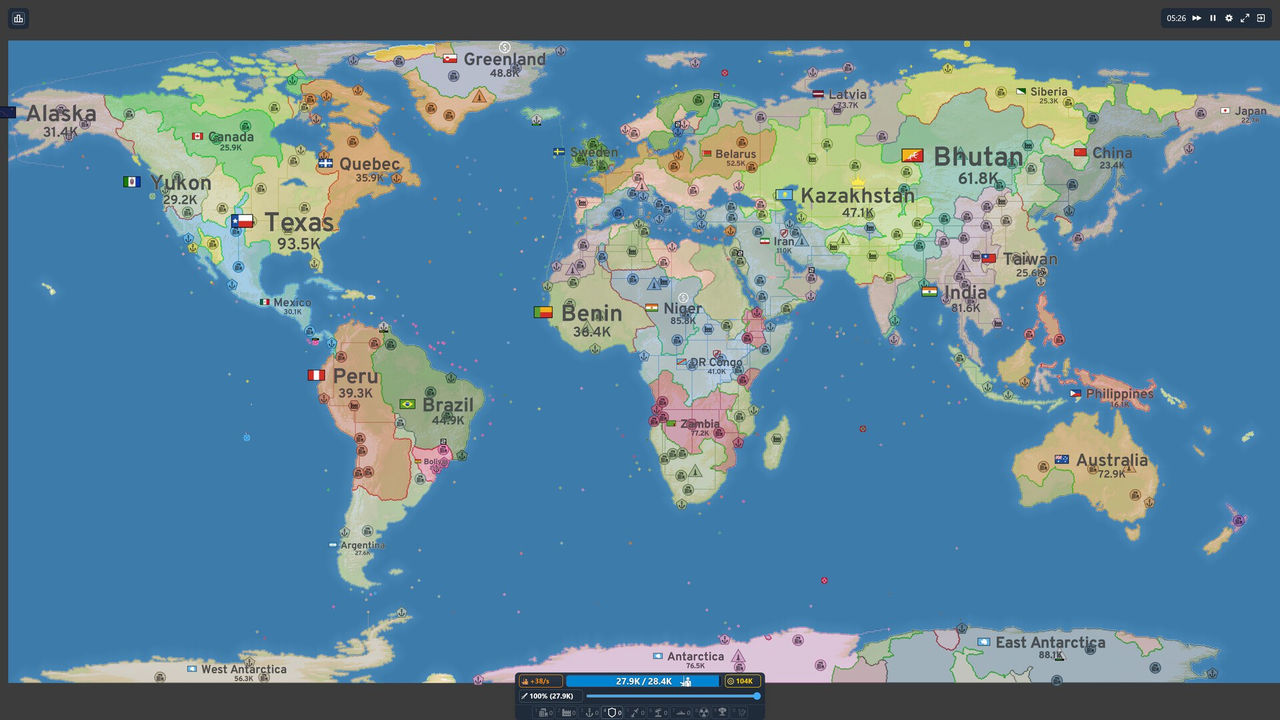
Map Sizes, Rotation and Loading
- Sizes vary by map. Giant World Map is the largest, and the Compact Map lobby modifier shrinks the play area on a chosen map.
- Rotation is lobby-driven. The official client lists maps with live thumbnails, featured entries and a Favourites filter, and hosts can also pick Random.
- New maps arrive with updates. Update 34.0 added Yangtze River, Cape Cod, Channel Islands and Gulf of Mexico alongside the Steam launch.
- Loading can stall on water. A documented bug caused crashes when hovering over water while a map was still loading, fixed in a later patch.
- Map knowledge is transferable. Terrain rules do not change per map, so the plains-versus-mountains maths is the same everywhere.
Choosing a Map for Your Plan
Pick the map that matches your opening rather than the one with the nicest outline.
- Want to learn the economy? Take a coastal continental map and lean on ports.
- Want a long, strategic game? A large world map with canals gives trade routes room.
- Want fast action? A regional map such as New York City or Montreal fills quickly.
- Want to practise naval play? Iceland, the Faroe Islands or Oceania are mostly water.
- Want to experiment? Choose Random and adapt rather than following a fixed build.
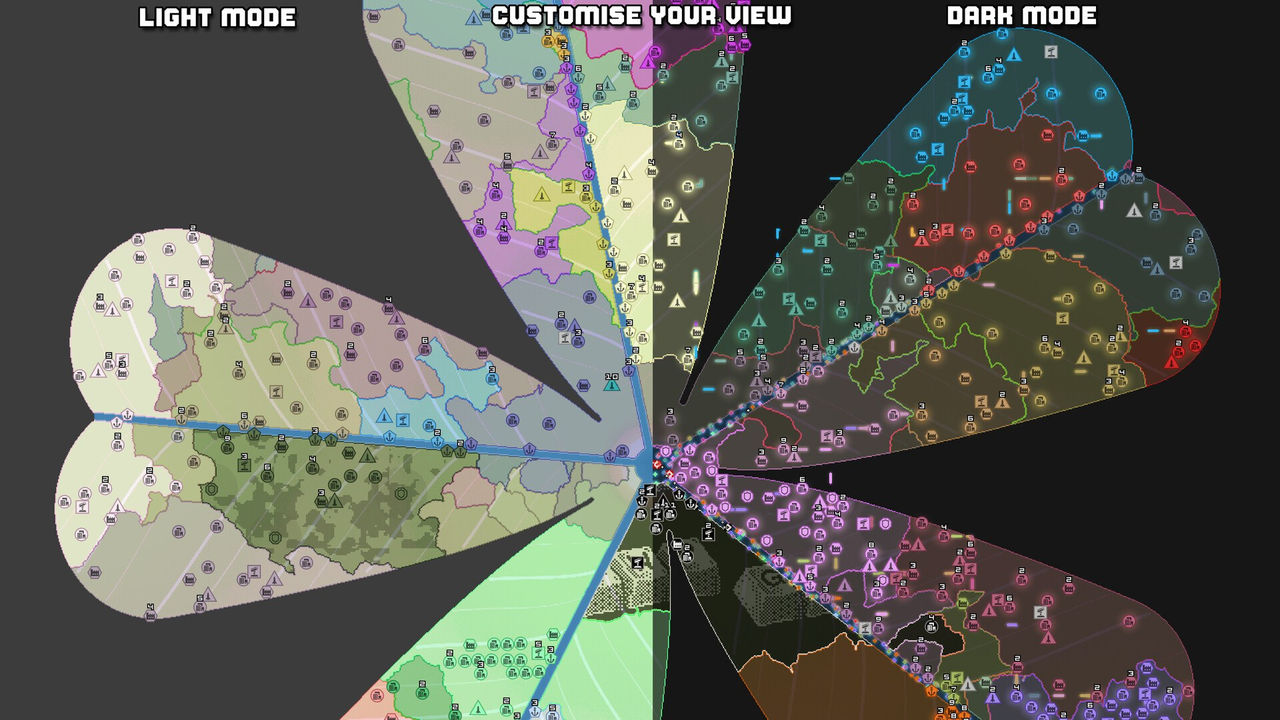
The Steam release keeps the same map pool as the browser client, so a favourite map is available wherever you play.
FAQ
How many maps does OpenFront have?
More than two dozen playable maps across several groups. The community wiki splits them into continental maps such as World, Giant World Map, Europe, Asia and Africa; regional maps such as Black Sea, Britannia, Iceland, Australia and Montreal; arcade maps; and other maps including Pangaea, Mars and a deglaciated Antarctica. A Random option sits alongside the curated list, and the Steam update added four more maps.
Which OpenFront map is best for beginners?
The larger, well-connected maps are the friendliest because they leave room to expand without immediately bordering several players. Europe, North America and World all give you clear terrain and coastal access, which matters because water lets you build ports. Smaller regional maps such as Iceland or the Faroe Islands force naval play sooner and punish a slow opening, so they are better once you are comfortable with ships and trade.
What is the difference between Europe and Europe Classic in OpenFront?
Europe Classic is the older version of the Europe map without rivers, kept in the rotation for players whose devices cannot handle the newer map. The wiki also notes that the newer Europe map excludes Iceland, which is part of why the classic version still exists. Both are the same continent; the difference is rendering load and the presence of rivers, which in turn changes trade routes.
Why is my OpenFront map not loading?
Start with the documented lobby-level causes. The community wiki records a crash when hovering over water while a map is still loading, and the official client ships a troubleshooting page for performance and crash issues. If you are on the browser client, a hard refresh and a current browser version fixes most stalls; on Steam, the desktop app has its own update path. Persistent failures are worth reporting through the official issue tracker rather than guessed at.
Does the map change how a match plays out?
Enormously. The community wiki notes that some maps favour slow expansion, some quick expansion, some trade and some simply run longer or shorter. Africa is described as hilly and mountainous, which slows spreading, while maps built around water such as World and the Faroe Islands favour ports, trade ships and warships. A match is generally considered complete once one side controls around 80% of the map.
More in Maps
More maps pages in OpenFront.
- OpenFront Map Editor — How to Make Custom MapsGuideUpdated 2026-10-04
References
- Maps - OpenFront.io Wiki
- OpenFront — official web client
- OpenFront Wiki — Update 34.0
- OpenFront on Steam
Facts on this page are compiled from the references above. Items marked "to confirm" are single-source and not yet verified.