
Nuclear Design Bureau · Community · Index
Nuclear Design Bureau Discord and Community Channels
Nuclear Design Bureau Discord guide: the invites listed on the Steam store and SteamDB, what the developer uses the community for, and where to report bugs.
By the New Game Wiki team · Updated 2026-10-04
On this page (8)
- The Official Discord Links and Support Channels
- What the Community Is Used For
- Joining Safely and Where Else to Look
- Does Nuclear Design Bureau have an official Discord?
- Why is the Discord more important than usual for this game?
- How do I report a bug?
- Is the Discord where designs are shared?
- What else is worth following for this game?
Nuclear Design Bureau Discord is not a side channel for this game; the developer treats it as the main one. The official description states there is an active Discord community and asks players to join to participate in the game's development, then adds that most of the day-to-day happens on Discord. For an Early Access sim whose physics, tools and campaign are described as changing based on what players build and where they get stuck, that makes the server part of the documentation.
The Official Discord Links and Support Channels
Two Discord invites appear in the official record, which is worth knowing before you join anything claiming to be the community server. The Steam store's support link points at one invite, and SteamDB lists another as the official social link, so verify which one the developer is currently promoting rather than trusting a search result.
| Channel | Where it is recorded |
|---|---|
| Discord support link | Listed on the Steam store page as the support contact |
| Discord official social invite | Recorded by SteamDB in the app's social media field |
| Support email | A Design Bureau KB-11 address appears in the store support record |
| Steam Community Hub news | Official hotfix and physics patch notes |
| Steam discussions | Player-run threads on yields, designs and specific directives |
- Use the Steam store page's own support link first, because that is the developer-controlled field.
- Expect the community server to be the place where build feedback is collected, not a general chat room.
- Community and meta features such as a public leaderboard and per-directive statistics are planned rather than present.
- The developer's Early Access framing is that player feedback decides what gets worked on next, so a clear report has a real chance of being acted on.
What the Community Is Used For
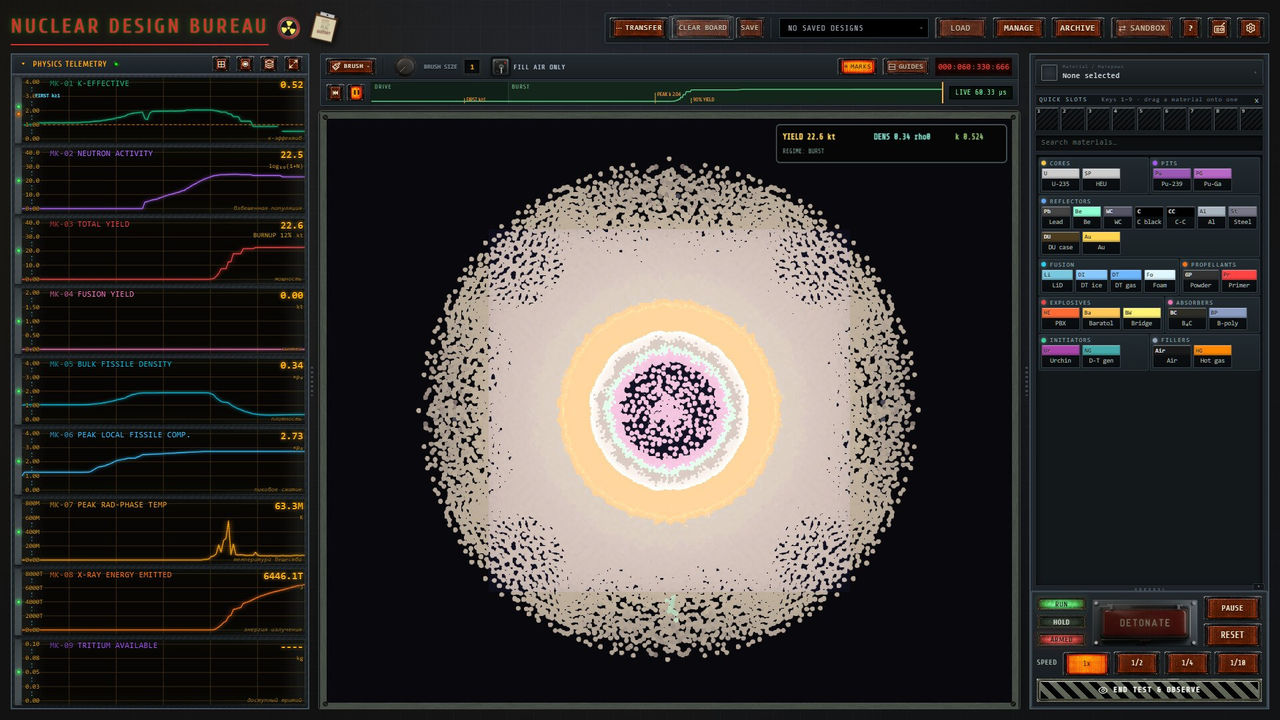
Three distinct activities show up in the recorded material, and they are all more useful than general chatter. The first is design sharing: Steam threads contain detailed multi-stage layouts, casing thicknesses and reported yields, and the developer's own description says players share designs and discuss mechanics. The second is bug reporting, with specific threads about directives and simulation behaviour that have fed into patches. The third is learning the physics, because the game ships without a published build recipe.
| Activity | Documented example |
|---|---|
| Sharing designs | Threads describing layered ellipse layouts, casing widths and reported yields |
| Reporting bugs | Directive-specific threads, including one about a device that would not work |
| Discussing mechanics | Neutron activity and ignition thresholds discussed between players |
| Following patches | Official notes covering simulation fixes, crash fixes and burn speed |
| Comparing results | Planned leaderboard and per-directive statistics on the roadmap |
- Treat community numbers as
to confirmuntil you reproduce them, because physics patches have changed yields and compression behaviour. - Search the server and the Steam discussions before posting, since directive naming makes older threads easy to find.
- Post your build state alongside the problem, including the directive and the patch version, because the simulation changes between builds.
- Read the changelog before claiming a bug, since several reported failures were fixed as simulation defects rather than design mistakes.
Joining Safely and Where Else to Look
Joining is straightforward, but a few habits keep the community useful. Check that the invite you clicked came from the store page or the app's recorded social links rather than from a random third-party page, and expect that the developer's own communication is patch notes rather than a roadmap blog. Steam remains the authoritative feed for what changed, because every hotfix and physics note is published there with a dated changelog.
- Prefer the official support link or SteamDB's recorded social invite over a link copied from a forum post.
- Keep patch notes and community claims separate in your notes, since one is dated official text and the other is player experience.
- Use the Steam Community Hub news feed as your primary changelog and the server for discussion.
- Avoid sharing account details or installers, and remember that official builds come from the Steam store page only.
If you are new, the most useful first stop is the loop itself rather than the chat: the guide page covers directives, the criticality lab and refining, and the tips page collects the habits that stop you rebuilding from scratch. The community is where those habits get stress-tested against other players' designs.
FAQ
Does Nuclear Design Bureau have an official Discord?
Yes. The Steam store page uses a Discord invite as its support link, and SteamDB's app record lists an official Discord invite under social media, which means the community server is the developer's chosen support and discussion channel rather than a fan creation.
Why is the Discord more important than usual for this game?
Because the developer says so. The official description states there is an active Discord community and asks players to join to participate in its development, and it adds that most of the day-to-day happens on Discord, so patch priorities and design feedback flow through the server.
How do I report a bug?
The store page's support contact links to the community server, and a published support email address also appears on the store record. Bug reports there have effect: a physics patch fixed several simulation bugs and a campaign progression blocker, and the developer says the campaign, physics and tools change based on what players build and where they get stuck.
Is the Discord where designs are shared?
It is the documented place for it. The developer's own description of the Early Access process says players share designs and discuss mechanics with the community, and Steam discussion threads show the same behaviour, with players posting multi-stage layouts, yields and casing measurements for others to test.
What else is worth following for this game?
The Steam Community Hub news feed, because official hotfix and physics patch notes are published there with specific changelogs. A hotfix on October 2 and a physics patch on October 1 are the two most useful recent notes, and each one lists exactly what changed.
References
- Nuclear Design Bureau on Steam
- Steam store API record — Nuclear Design Bureau (app 4190240)
- Nuclear Design Bureau — SteamDB app record (official social links)
- Nuclear Design Bureau — Steam Community Hub news and patch notes
Facts on this page are compiled from the references above. Items marked "to confirm" are single-source and not yet verified.