
Leafy Corner · Shop · Guide
Leafy Corner Best Layout — Colour Coding, Zoning and Display Tips
Leafy Corner best layout: colour-code pots, sort plants by category, keep watering routes short, and use free placement or snap to grid as you prefer.
By the New Game Wiki team · Updated 2026-10-04
On this page (8)
- The Organised Layout Method
- Free Placement Versus Snap to Grid
- Zoning for Watering and Sales
- What is the best shop layout in Leafy Corner?
- Can you place items freely in Leafy Corner?
- How do you change the colours of furniture and walls in Leafy Corner?
- Should you sort plants by type or by size?
- How does layout affect watering in Leafy Corner?
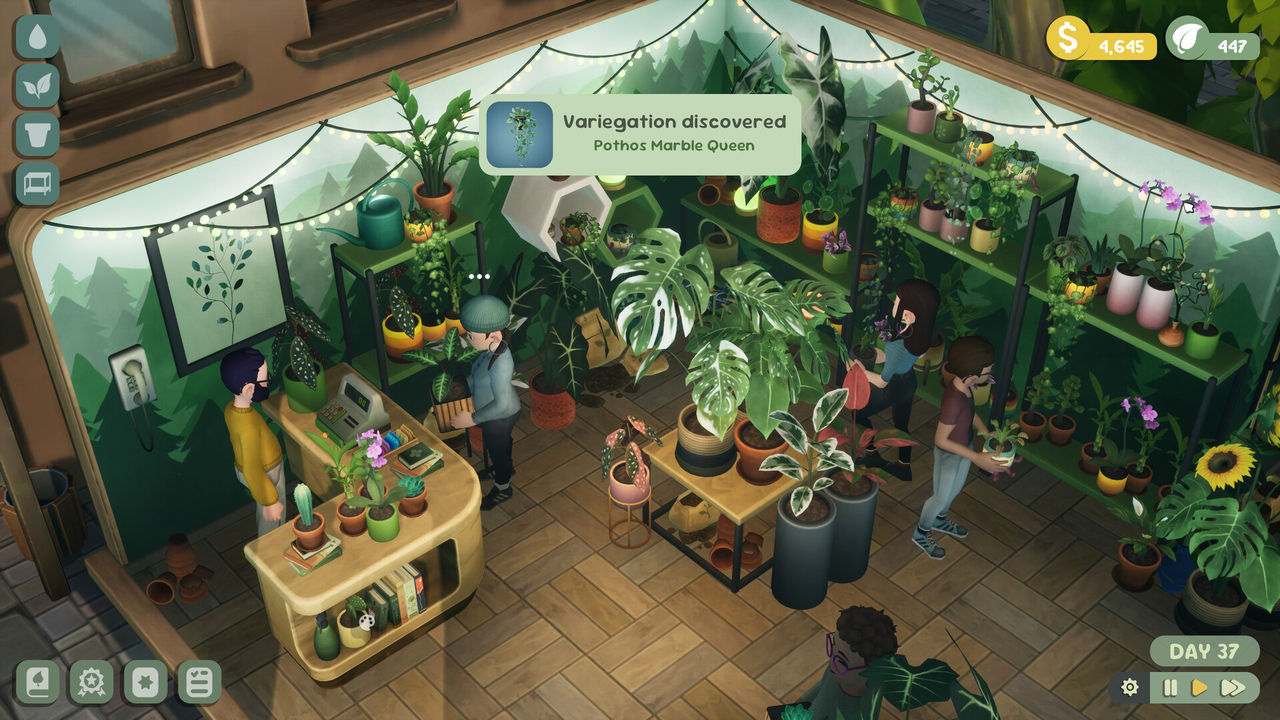
The Leafy Corner best layout is really a question of how you group things, not which furniture looks nicest. The one credited layout write-up takes an organised approach: pots are colour coded and plants are separated into strict categories, on the argument that the whimsy becomes more accessible when everything is ordered. This page turns that idea into a workable method, covers the free placement and snap to grid choice, and explains why zoning matters once watering becomes the bottleneck.
The organising principle comes from a credited magazine piece and a credited social tip, with the placement and colour mechanics taken from a hands-on walkthrough video and the official store page. Because the layout advice is one player's method, specific claims are marked to confirm.
The Organised Layout Method
The credited layout write-up is short but specific. Its author colour codes the pots and separates plants into strict categories, and the stated reasoning is that the whimsy will be better accessible if everything is ordered. In practice that means a shopper, and more importantly you, can tell at a glance which plants share a trait or a size, which is exactly what a customer request demands when the clue is vague.
That method pairs well with the compendium, because a credited review notes the book sorts plants by size, small, medium and large, alongside pots and furniture, current and unlockable. If the shelf groups match the compendium groups, matching a request becomes a visual scan rather than a memory test. The credited social tip points the same direction from the money side: focus on variety early because it boosts conversions, and reinvest profits wisely by upgrading propagation areas and buying new pots and decor.
| Grouping method | How it works | Best for |
|---|---|---|
| Colour-coded pots | Each pot colour marks a plant category | Quick visual scanning |
| Strict categories | Plants separated by trait or species | Matching vague requests |
| Size shelves | Small, medium and large on separate shelves | Space and impact requests |
| Trait zones | Pet-safe, low-water and statement areas | Order preparation |
Three rules that make the organised method work:
- Give every shelf one clear grouping so nothing is ambiguous.
- Keep the most requested traits closest to the counter.
- Leave walking space, because a blocked aisle costs more time than a missing shelf.
Free Placement Versus Snap to Grid
Placement is a setting, not a fixed rule. The hands-on walkthrough video explains that items can be placed freely with no snapping by default, and that you can change this in the settings if you would rather have items snap to grid. The same video says free placement lets you push pots very close together to get a particular cluttered look, which is why the host preferred it, and another credited review reports the opposite experience: the reviewer found free placement awkward at first, discovered the snap toggle later, and still ended up preferring no snapping because more pots fit.
The colour and rearrangement tools are equally flexible. The walkthrough video says you click a furniture or decor item and choose between move, colour change, copy or sell, and that you can do this at any time, even while the shop is open with customers browsing. It adds that walls and floors are changed from the colour swatches beside the register, and that if you want the whole shop to be pink you can simply do that.
| Placement mode | Behaviour | When to use it |
|---|---|---|
| Free placement | No snapping, pots can overlap closely | Dense, cosy, cluttered displays |
| Snap to grid | Items align to a grid | Tidy, evenly spaced layouts |
| Move, colour, copy, sell | Per-item actions at any time | Reworking a shelf mid-session |
Two practical placement habits:
- Pick one placement mode per session so the shop does not end up half aligned.
- Use copy to duplicate a shelf you like instead of rebuilding it item by item.
Zoning for Watering and Sales
Once the shop grows, layout stops being decorative and becomes a time budget. The credited expansion guide recommends splitting watering into zone passes, such as the front floor in the morning and a new wing before the customer rush, until one continuous route feels natural. That advice only works if the layout has zones in the first place, which is the strongest argument for grouping plants by care need rather than by colour alone.
Sales zoning matters for the same reason. The credited expansion guide warns that neglected back corners hurt reputation worse when shoppers can see empty or wilted sections from the entrance, so the highest-traffic shelves should hold healthy, well-watered stock. The hands-on video adds a useful sales detail: customers with three dots above their head are ready to check out, and customers with a question mark want help, so keeping the counter approach clear saves you from weaving through shelves during a rush.
A zoning plan that scales with the shop:
- Put the most common traits near the counter for fast order picking.
- Group similar watering needs together so one pass covers them.
- Keep the entrance shelf full of healthy, mature plants.
- Reserve a corner for propagation and repotting so it never blocks a sale.
For the traits worth zoning around, see the plants page, for the space that makes zoning possible see shop-expansion, and for the walls and floors that set the backdrop see wallpaper.
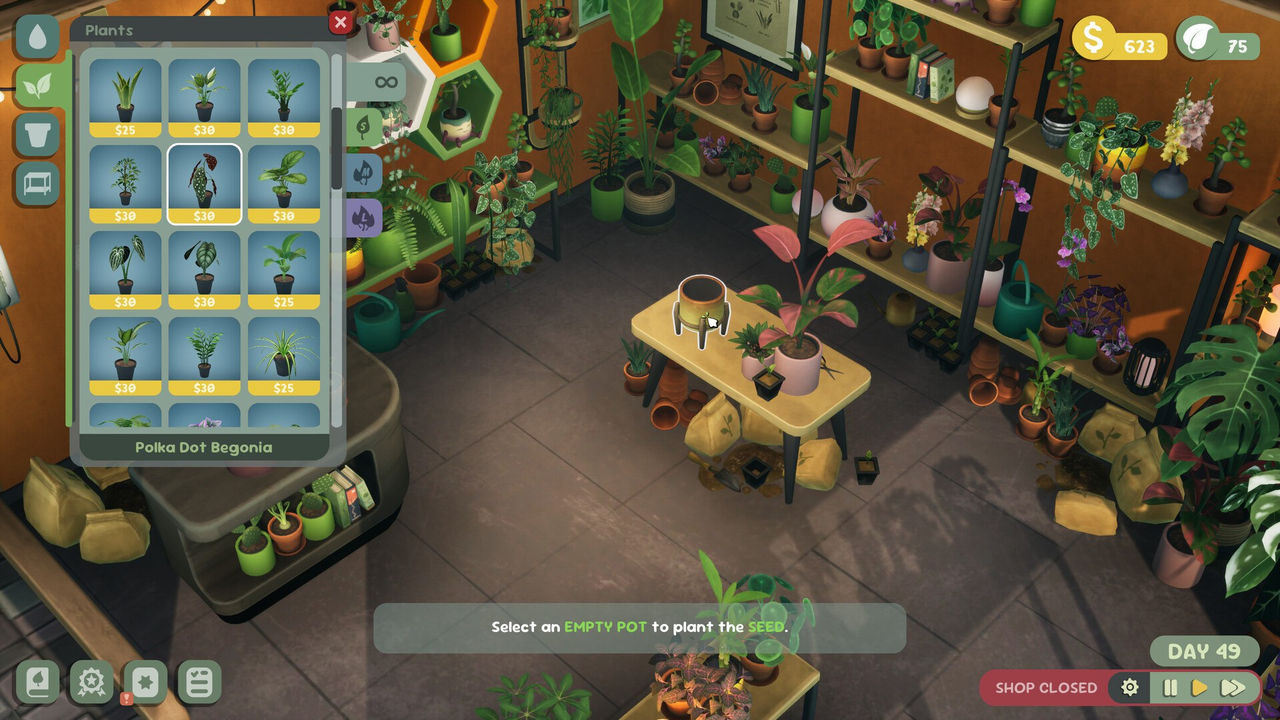
In short: pick a grouping rule and stick to it, choose free placement or snap to grid deliberately, and zone by care need so watering stays a route rather than a hunt.
FAQ
What is the best shop layout in Leafy Corner?
The one credited layout write-up describes an organised approach rather than a decorative one: pots are colour coded and plants are separated into strict categories, on the reasoning that the whimsy is more accessible when everything is ordered. That is a personal method rather than an official optimum, so treat it as one strong option.
Can you place items freely in Leafy Corner?
Yes. A hands-on walkthrough video explains that items can be placed freely, with no snapping by default, and that you can change this in the settings if you would rather have items snap to grid. The same video notes that free placement lets you push pots close together for a cluttered, cosy look.
How do you change the colours of furniture and walls in Leafy Corner?
A hands-on walkthrough explains that you click a furniture or decor item and choose between move, colour change, copy or sell, and that you can do this at any time, even while the shop is open. It adds that the walls and floors are changed from the colour swatches beside the register.
Should you sort plants by type or by size?
Both have support. The credited layout write-up separates plants into strict categories and colour codes the pots, while a credited review notes the compendium sorts plants by size, small, medium and large, which makes size a natural grouping for shelf planning. Matching the shelf to the size category keeps the display readable.
How does layout affect watering in Leafy Corner?
It matters a lot once the shop grows. A credited expansion guide recommends splitting watering into zone passes, such as the front floor in the morning and a new wing before the customer rush, and warns that neglected back corners hurt reputation because shoppers can see wilted sections from the entrance.
More in Shop
More shop pages in Leafy Corner.
- Leafy Corner How To Expand Shop — Reputation Level 3 and the $1000 CostGuideUpdated 2026-10-04
References
- I made a hyper organised plant shop in Leafy Corner (PC Gamer)
- Leafy Corner game review: cosy plant-shop management tips (TikTok)
- Everything You Need to Know About Leafy Corner (YouTube)
- Leafy Corner on Steam
Facts on this page are compiled from the references above. Items marked "to confirm" are single-source and not yet verified.