
OpenFront · Mods · Guide
OpenFront Mods — UI Scripts, Cosmetics and Custom Maps
OpenFront mods explained: the open-source client, client-side UI scripts, cosmetics and custom maps, and what the game does not officially support.
By the New Game Wiki team · Updated 2026-10-04
On this page (8)
OpenFront mods are a strange topic, because the game is open source yet has no official mod platform. The result is a small, specific ecosystem: client-side browser scripts that add information overlays, community-built custom maps that use the published map format, and cosmetic items sold through the game and Steam. This page separates what is officially supported from what is community-made and use-at-your-own-risk.
Does OpenFront Support Mods?
There is no documented official mod API and no Steam Workshop hub for OpenFront. What the game does publish is its source code: the OpenFrontIO repository is public and actively developed, which is why community tools exist at all. The three real categories of customisation are therefore UI userscripts that change only your own client, custom map projects built on the map-generator format, and cosmetics that ship with the game. Everything beyond those three is unofficial.
Client-Side UI Scripts
The best-known OpenFront userscript is the OpenFront.IO UI Enhancer on Greasy Fork. It is a browser-level script installed through a userscript manager, and it only affects what your own client displays. Because it never touches the server, it cannot change game balance; its whole value is presenting information you could otherwise read manually but faster.
- Client-side only. It runs in your browser and never contacts the game server.
- Installed via a userscript manager such as Tampermonkey or Greasemonkey.
- Feature-toggled. Every overlay can be switched off from the manager menu.
- MIT licensed and small. The listed version is 1.0.2, around 13 KB.
- Unofficial. It is not built or endorsed by the developers.
| Feature | What it adds to your screen |
|---|---|
| Troop ratios | Maximum troop counts shown next to a player's current troops |
| Ratio and health bars | Visual bars for troop capacity and attacking troops |
| Weakness indicator | A flashing troop count on players you can overwhelm |
| Danger indicator | Red numbers for players whose army has outgrown yours |
| Threat icons | Markers for atomic and hydrogen bomb capability |
| Toggleable options | Every feature can be switched on or off in the manager menu |
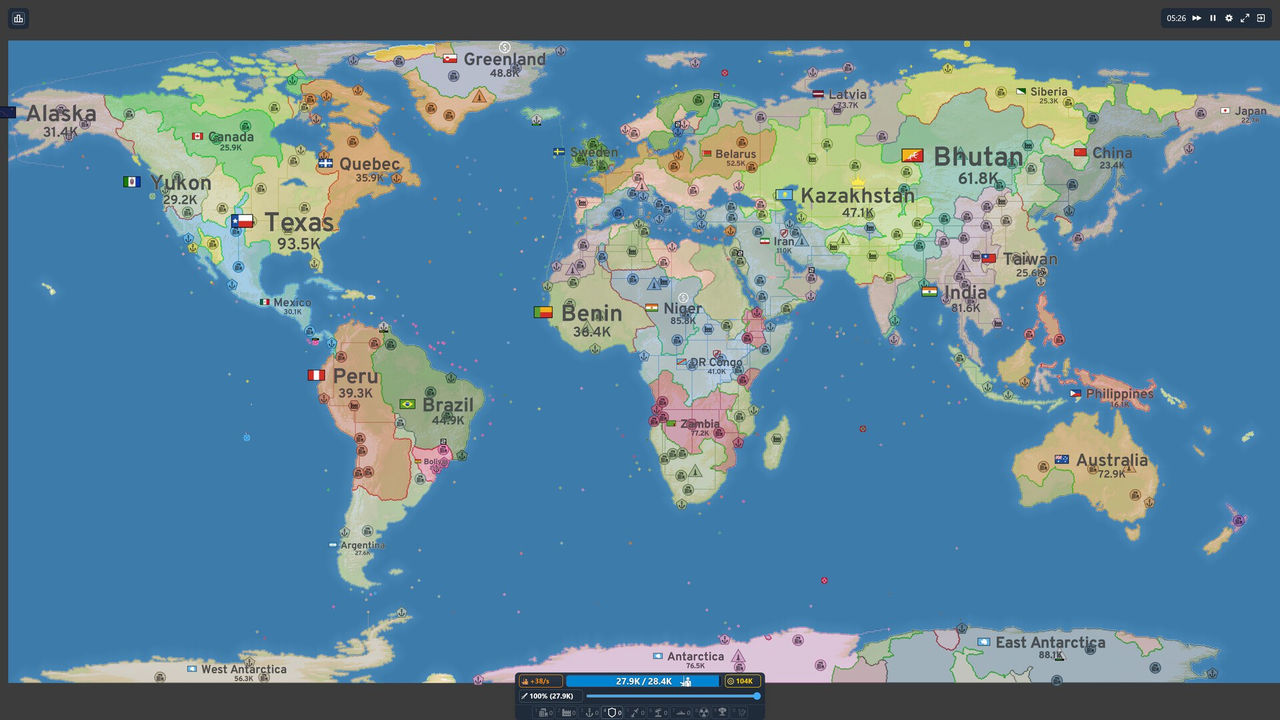
The script's disclaimer is worth repeating rather than paraphrasing away: it states that the script may or may not violate OpenFront's terms of service and that the author is not responsible for any consequences, including account bans. If you use it, read the source and accept that risk yourself.
Cosmetics, Custom Maps and the Open Source Repository
The supported customisation layer is cosmetic and map-level.
- Cosmetics inventory: the Steam release ships exclusive cosmetics, and the official client has display items tied to your account.
- Cosmetics do not affect balance. They change appearance, not armies or information.
- Custom maps: the OpenFrontIO map-generator defines the format, and the community Custom Map Editor builds on it to paint terrain and place nation spawns in a browser.
- Custom maps are private-friendly, not public. The curated client rotation does not accept them.
- Open source means read it yourself. You can inspect how the game works rather than trusting third-party summaries.
| Customisation type | Official? | Notes |
|---|---|---|
| Cosmetics | Yes | Steam cosmetics and in-client display items |
| Custom maps | Format official, tooling community | Uses the published map-generator format; best in private lobbies |
| UI userscripts | No | Client-side only; use-at-your-own-risk |
| Balance or gameplay mods | No | No documented support for changing rules or units |
FAQ
Does OpenFront support mods?
Not in the Steam Workshop sense. OpenFront is an open-source browser game, so the practical mod scene is community tooling around it: client-side UI scripts, custom map projects built on the published map format, and cosmetic items from the in-game store. There is no official mod API or Workshop hub documented, which means anything beyond UI and maps is unofficial and unsupported.
What is the OpenFront.IO UI Enhancer?
It is a client-side userscript listed on Greasy Fork that adds information overlays to the browser client. Documented features include showing maximum troop counts beside player troop numbers, ratio and health bars, a flashing weakness indicator on weak players, a red danger indicator for players whose army outgrows yours, and threat icons for atomic and hydrogen bomb capability. It is version 1.0.2, MIT licensed, and can be toggled feature by feature from the userscript manager menu.
Are OpenFront UI scripts safe to use?
They are unofficial, and the script's own page says so plainly: its disclaimer states it may or may not violate the game's terms of service and that the author accepts no responsibility for consequences including account bans. Treat any client-side script as use-at-your-own-risk, read the source before installing, and remember that its information overlays are convenience features rather than anything the game endorses.
Can you mod OpenFront's maps?
Yes, through the published map format rather than a mod loader. OpenFrontIO ships a map-generator package, and a community project called Custom Map Editor - OpenFront builds on that format to let you paint terrain, set elevation and place nation spawns in a browser and export a playable bundle. Custom maps belong in private and local setups, because public matchmaking rotates only the curated official map list.
What cosmetics does OpenFront have?
The Steam release includes an exclusive cosmetics inventory, and the official client has cosmetic systems such as alert frames and other display items tied to the account. Cosmetics are the closest thing to a sanctioned customisation layer in the game, since they change what you see without changing balance or giving information an opponent cannot also buy.
References
- OpenFront — official web client
- OpenFront.IO UI Enhancer — Greasy Fork
- OpenFrontIO — GitHub repository
- zuperzonic1/Custom-Map-OpenFront — GitHub
- OpenFront on Steam
Facts on this page are compiled from the references above. Items marked "to confirm" are single-source and not yet verified.