
Hex Reverse · Where to Play · Platform
Hex Reverse Platforms — Steam, Controller Support and Languages
Hex Reverse platforms are Steam and Windows only. Here is where to buy it, what the store lists for controller support, and the two supported languages.
By the New Game Wiki team · Updated 2026-10-08
On this page (8)
Hex Reverse platforms are simple: Windows through Steam, and nothing else. The Steam store page lists Windows as supported with no macOS or Linux build, and there is no second store, no launcher and no official website listed for the game. That makes the Steam page and its community hub the only two official places to buy it, follow it or report a problem.
Where Hex Reverse Is Available
The game is published on Steam as appid 5257350, and the store listing shows a Windows build only. The platform flags behind the page have Windows set and macOS and Linux unset, and the Steam page's own website field is empty, so there is no developer site to check for a second storefront.
| Where | Status |
|---|---|
| Steam (Windows) | Released Oct 7, 2026, listed as Free To Play in the US |
| macOS | Not supported |
| Linux | Not supported |
| Consoles | No version listed on the store page |
Because the game is free to claim for the first 30 days after release, the buying decision during the launch window is simply whether to add it to your Steam library before the free period ends. After that it transitions to paid availability with regional pricing applied through Steam.

Controller Support and How You Play It
No controller support is listed. The Steam categories attached to Hex Reverse cover single-player, Steam achievements, custom volume controls, playable without timed input, save anytime, a touch-only option, Steam Cloud and Family Sharing, and the controller-support categories that Steam uses for gamepad support do not appear among them. The documented input for the game is therefore keyboard and mouse.
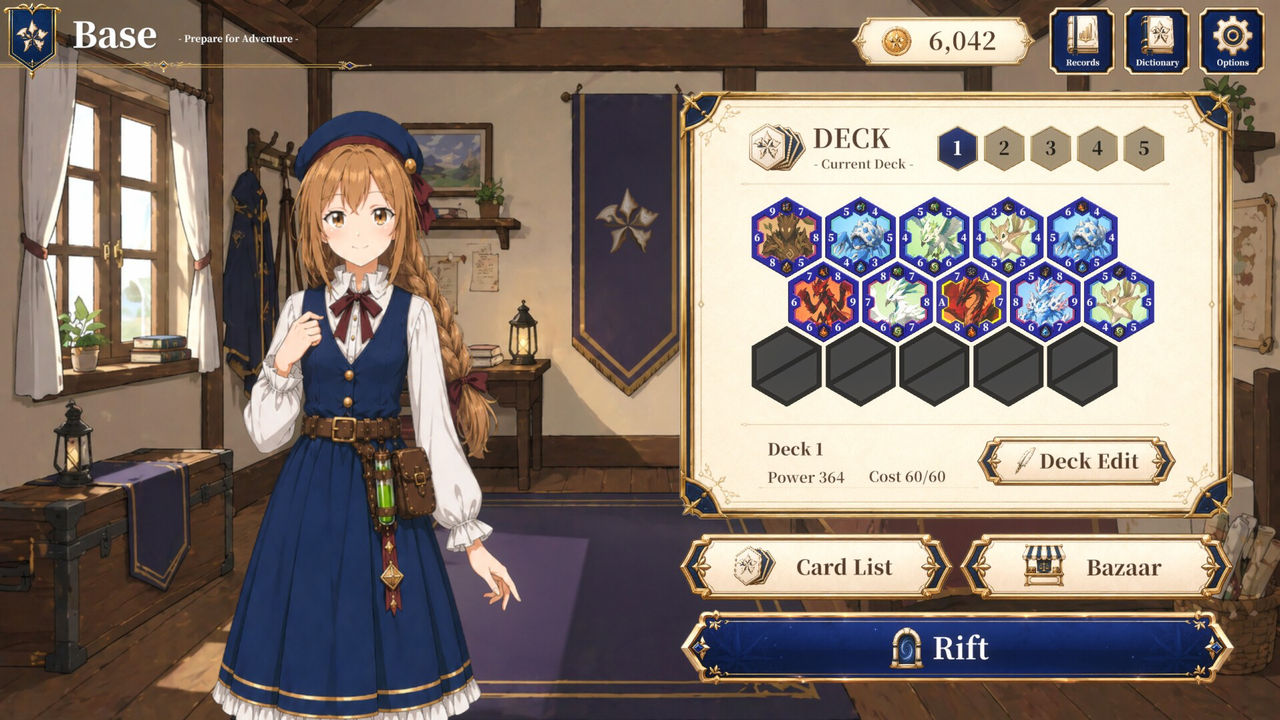
The touch-only category is worth noting because it is unusual for a Windows release: it indicates the game can be played with touch input alone rather than requiring a mouse, which fits a card game built on placing pieces on a fixed board. The store page does not document remapping, hotkeys or any other input detail beyond these categories, so anything more specific is not documented yet.
Languages and Store Features
Hex Reverse lists English and Japanese as its supported languages on the Steam store page. The listing does not break that list down by interface, subtitles or full audio, so the exact coverage of each language is not documented yet; what is documented is that the store description itself is written in English and that the game ships with those two languages.
The rest of the store-side feature set is small but useful for a card game. Steam Cloud keeps your saved decks and collection tied to your account, Family Sharing lets another account in your family play your copy, Save Anytime and Playable without Timed Input mean nothing is gated behind reaction speed, and Custom Volume Controls is listed separately from the game's own audio options. For what the game itself does with those systems, see the features page; for the specs you need to run it, see the system requirements page.
FAQ
What platforms is Hex Reverse on?
Windows, through Steam. The store data behind the listing shows Windows supported and no macOS or Linux build, and the Steam page is the only store the game is published on. There is no separate official website for the game and no console version is listed anywhere on the store page, so a console release is not documented yet.
Where can you buy Hex Reverse?
On Steam, as appid 5257350. It is listed as Free To Play in the US and is free to claim during the first 30 days after its 7 October 2026 release; if you add it to your Steam library during that window you keep permanent access even after it becomes a paid title. There is no other store or launcher listed on the official page.
Does Hex Reverse support controllers?
No controller support is listed on the store page. The Steam categories attached to the game cover single-player, Steam achievements, custom volume controls, playable without timed input, save anytime, a touch-only option, Steam Cloud and Family Sharing, and none of the controller-support categories appear. Keyboard and mouse is therefore the documented way to play.
What languages does Hex Reverse support?
English and Japanese. Those are the two languages listed on the Steam store page, and the store page does not break the list down further, so which of interface, subtitles or full audio is covered by each language is not documented yet. The game's own store description is published in English.
Is Hex Reverse playable on a touch screen?
The store listing includes a Touch Only Option category, which means the game is listed as playable with touch input alone. That sits alongside Playable without Timed Input and Save Anytime, so the control scheme does not depend on reaction speed or a constant connection. The touch category is what the store page states, and the game's own interface detail is not documented beyond it.
More in Where to Play
More where to play pages in Hex Reverse.
- Hex Reverse Price — Free for 30 Days, Then PaidPlatformUpdated 2026-10-08
References
- Hex Reverse on Steam
- Hex Reverse Steam Community Hub
- Hex Reverse appdetails (Steam Store API, frozen 2026-10-08)
Facts on this page are compiled from the references above. Items marked "to confirm" are single-source and not yet verified.