
Superhero Simulator · Mechanics · Guide
Superhero Simulator Controls — Keyboard, Mouse and Controller Support
Superhero Simulator controls explained: the keyboard and mouse bindings, partial controller support on Steam, DualShock and DualSense pads, and input fixes.
By the New Game Wiki team · Updated 2026-10-08
On this page (7)
- Keyboard and Mouse Bindings in Superhero Simulator
- Controller Support on Steam: What Is Confirmed
- Common Input Problems and Workarounds
- Does Superhero Simulator have controller support?
- Why does my character run into buildings instead of turning?
- Can I rebind keys in Superhero Simulator?
- What keys do the mini-games use?
Superhero Simulator controls are straightforward once you accept one unusual rule: the movement keys do not steer your hero, the camera does. Keyboard and mouse is the default way to play, and controller support exists but is incomplete. The binding list below comes from launch-era gameplay, so treat individual keys as to confirm and check your own build before relying on them.
Keyboard and Mouse Bindings in Superhero Simulator
The layout is small and mostly consistent between flying and fighting. Flight launches off the ground input and stays on a boost modifier, combat uses the mouse for attacks and one key for blocking, and everything else in the world is handled by a single interact prompt.
| Input | Action |
|---|---|
| Mouse movement | Aim and set the direction your hero travels |
| Left mouse button | Attack when focused on an enemy |
| Interact key | Block, extinguish fires, clear rubble, rescue and search prompts |
| Jump key | Stop the marker in mini-game timing checks such as bombs and hostages |
| Take-off key | Launch from the ground into flight |
| Boost modifier | Fly faster while airborne |
| Dash key | Short dash, unlocked through the skill tree |
| Dodge combination | Run plus the boost modifier plus a strafe key |
| Map key | Open the city map and set a home marker |
The important consequence of camera-relative movement is that the strafe keys slide you sideways instead of turning you. That is why early flying ends in accidental demolition: a sharp turn at speed is a camera move first and a key press second.
Controller Support on Steam: What Is Confirmed
Steam is explicit but limited here. The store page lists Partial Controller Support and separately lists DualShock and DualSense support, so modern PlayStation pads are recognised, and an Early Access hands-on review noted PlayStation button prompts showing up on a PC build that was being played with an Xbox controller. No dedicated-settings menu for stick sensitivity or dead zones is documented.
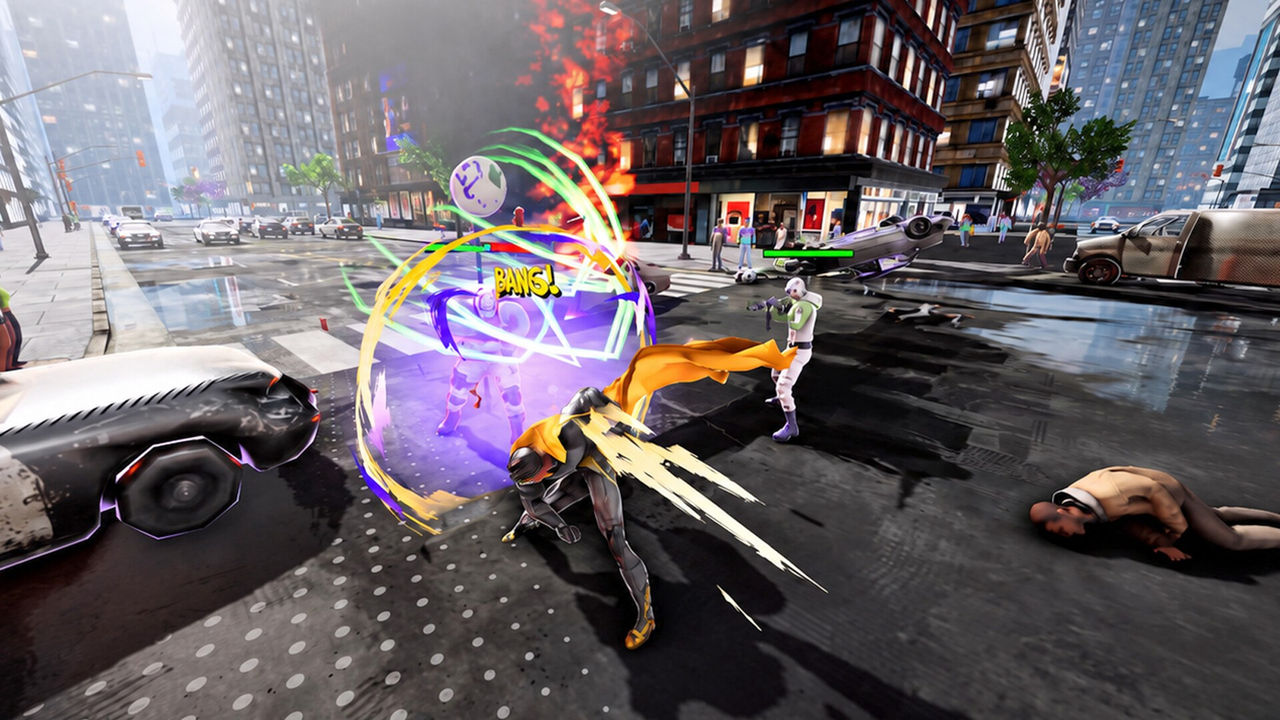
The community hub has a thread asking whether the partial support from Early Access carried into the full release, and no developer answer is captured in the material for this page, so the honest position is to confirm it in your own install. If a pad does not respond, Steam Input is the first thing to check, because it can present the pad as an Xbox controller regardless of the hardware you own.
Common Input Problems and Workarounds
- Movement feels wrong: aim with the camera, then press the direction; strafe keys do not turn you.
- Menus hard to read: players have reported menus sitting off screen with over-sensitive scrolling, so slow the scroll input before precision prompts.
- No minimap: there is no always-on minimap in the HUD, so the map key is your only navigation tool and is worth binding to something comfortable.
- Pads with partial support: expect to reach for the keyboard for some menu actions even when flying with a pad.
- Prompts change meaning: the interact key does double duty as block and as the world-interaction prompt, so read the on-screen prompt before pressing.
FAQ
Does Superhero Simulator have controller support?
Steam labels it Partial Controller Support, and the feature list specifically calls out DualShock and DualSense controller support alongside adjustable difficulty and custom volume controls. Partial means a pad works for most play but some menus or prompts may still expect keyboard and mouse, so keep them within reach on the first run.
Why does my character run into buildings instead of turning?
Because moving follows your camera rather than steering the character. In launch gameplay the player works out that the movement keys do not turn the hero, so where you look is where you go, and that is why careless flying clips through scenery and drops the city peace level. Aim with the mouse first, then commit to the movement input.
Can I rebind keys in Superhero Simulator?
Not documented. The store page and the community hub do not list a rebinding menu, and the launch footage never opens one, so treat remapping as to confirm. Steam's own controller configuration layer is the usual workaround for pads when a game does not expose remapping itself.
What keys do the mini-games use?
The same two inputs as the main game. Interact prompts such as fires, rubble and hostage rescues use the interact key, while bomb and hostage timing checks use the jump key to stop a marker inside the highlighted zone. One review of the controls called out that the menus and scroll sensitivity needed attention, so slow your scroll before precision prompts.
More in Mechanics
More mechanics pages in Superhero Simulator.
- Superhero Simulator Map — Goldpine City, Home and Where to PlayGuideUpdated 2026-10-08
- Superhero Simulator Multiplayer — Co-Op, Leaderboards and SharingGuideUpdated 2026-10-08
References
- Superhero Simulator — Steam Community Hub
- Superhero Simulator | Steam Game Key for PC — GamersGate
- Superhero Simulator on Steam
- mightyraccoon! Studios — official site
Facts on this page are compiled from the references above. Items marked "to confirm" are single-source and not yet verified.