
Leafy Corner · Symbols · Guide
Leafy Corner Symbols — Customer Icons, Plant Traits and Water Marks
Leafy Corner symbols explained: the three dots and question mark above customers, the cat and cactus plant icons, and the water droplet and warning marks.
By the New Game Wiki team · Updated 2026-10-04
On this page (8)
- Customer Symbols Above Their Heads
- Plant Trait Icons in the Compendium
- Watering Symbols and Warning Marks
- What do the three dots above a customer mean in Leafy Corner?
- What does a question mark above a customer mean?
- What does the cat icon mean in Leafy Corner?
- What do the cactus and hanging pot icons mean?
- What does the exclamation mark on a plant mean?
The Leafy Corner symbols fall into three families, and knowing which is which removes most of the confusion: customer symbols appear above people, plant trait icons appear in the plant records, and watering symbols appear above plants. The three dots mean a customer is ready to pay, the question mark means they need help choosing, the cat icon means pet friendly, and the exclamation mark means you have overwatered. This page lists each symbol, what it means, and what to do when you see it.
Symbol meanings here come from a credited beginner guide, a credited trophy guide, a credited request-matching guide, and a hands-on walkthrough video. Where a symbol is identified only by one source, that is noted.
Customer Symbols Above Their Heads
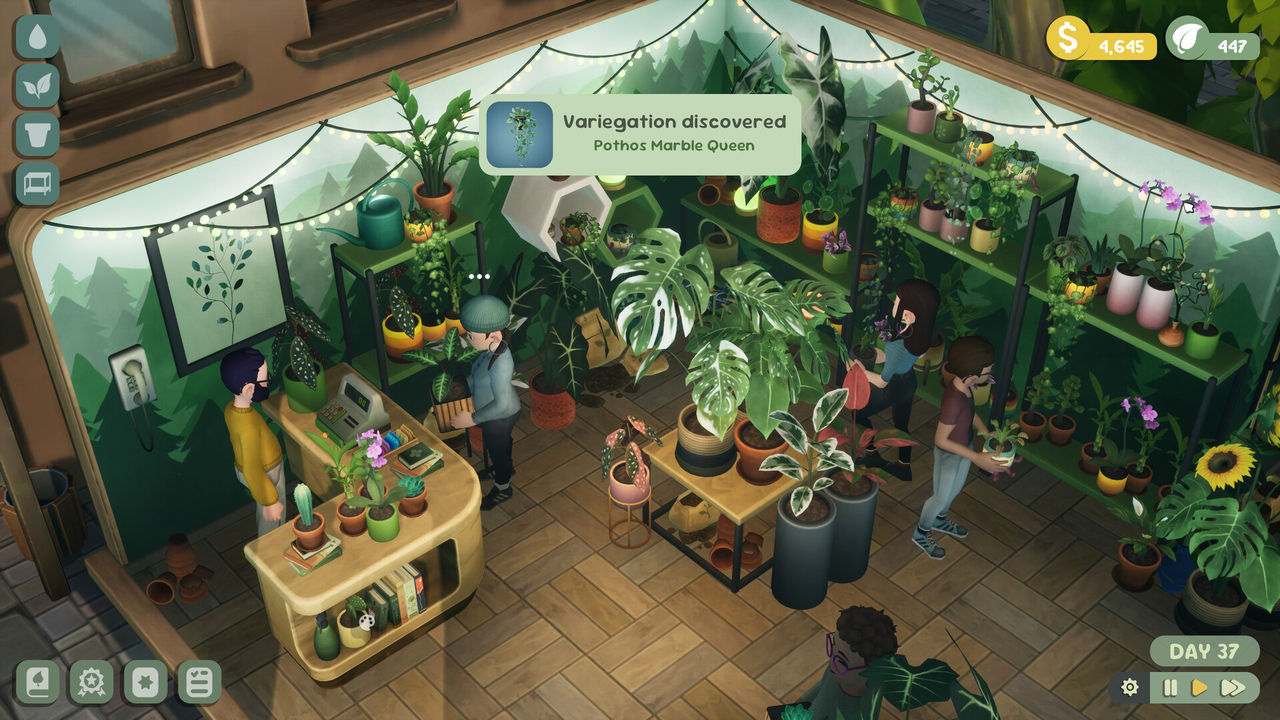
Customers communicate entirely through two symbols. The hands-on walkthrough video explains that once a customer is ready to check out they come to the counter with three little dots above their head, and all you have to do is click on that customer to complete the sale. It is the fastest interaction in the game and the one you will do most often.
The question mark is the other one, and it means the customer needs help finding a specific plant. The same video says a question mark pops up when a customer wants help matching their clue, and it lays out your options: you can have them wait while you look through your plant book, decline them entirely, or get it wrong, since a failed match just makes them walk out with no real penalty. The video also notes the clues get trickier as you unlock more plants, which is when the plant book earns its place.
| Customer symbol | Meaning | Your action |
|---|---|---|
| Three dots | Ready to check out | Click the customer to take payment |
| Question mark | Needs help choosing a plant | Match the clue or decline |
| No symbol | Browsing only | Leave them, they may buy directly |
Two things to remember about customer symbols:
- You are never rushed, because customers wait patiently while you work.
- A failed match costs nothing, so guessing is a valid option when the clue is odd.
Plant Trait Icons in the Compendium
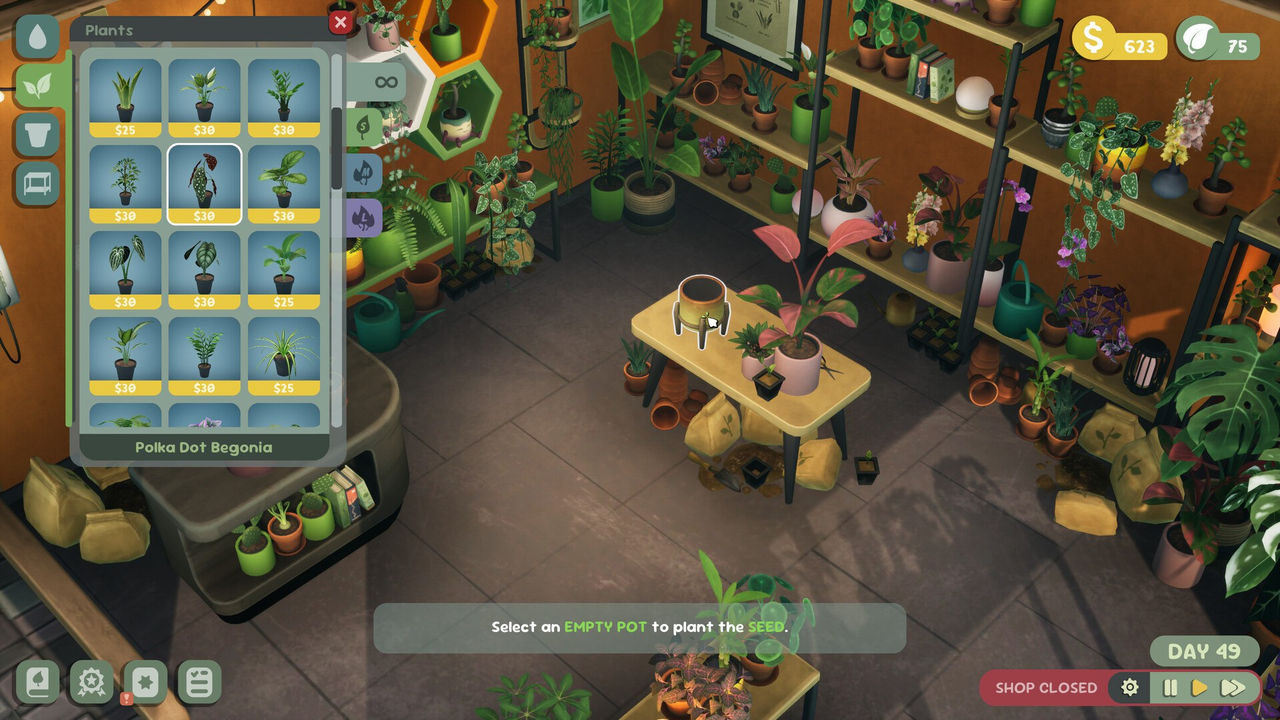
Plant traits are marked by icons rather than words, and the credited trophy guide names several of them. The cat icon marks a plant as pet friendly, and the guide notes that placing 100 pet friendly plants is easiest with Cat Grass, the first and cheapest plant you unlock. A cactus-like icon marks a succulent, with the Snake Plant given as an example, and a hanging-pot icon marks a trailing plant, with String of Hearts as an example and the earliest trailing unlock at level 3. Those three icons cover the traits the achievements care about most.
The request-matching side uses the same trait vocabulary. A credited guide describes a matcher that filters by pet friendly, shade, size, succulent, and observed variegation, and a credited beginner guide names Boston Fern, Maranta and Spider Plant as a shortlist that satisfies a medium, pet friendly, low light request. That is the practical use of the icons: read them in the plant record, then match them to the words in a customer's clue.
| Plant icon | Trait | Example plant |
|---|---|---|
| Cat | Pet friendly | Cat Grass |
| Cactus | Succulent | Snake Plant |
| Hanging pot | Trailing | String of Hearts |
| Size marker | Small, medium or large | Varies by species |
A quick icon-reading routine:
- Open the plant record before buying it and check which icons appear.
- Match icons to the clue rather than to the plant's price.
- Keep one plant of each icon type permanently on the shelf.
Watering Symbols and Warning Marks
Watering is where the symbols carry the most immediate cost. A credited review describes the flow: a white droplet appears over a plant that needs water, and when you start watering the droplet begins to fill with blue, so stopping at the top of the drop leaves the plant perfectly watered. The credited beginner guide adds the danger sign: if you continue watering after the bar is full you get an exclamation mark and the plant stops growing, so the safe habit is to fill almost completely and leave a tiny gap.
The same guide explains the dry signal from the other direction. If the water bar drops to a certain point the growth speed slows significantly, and if the plant becomes too dry the game shows a water icon above it, though it is much better to water before that appears. A credited review adds a useful recovery detail: repotting a plant into a new pot resets its watering needs, which is handy when you want to slow a plant's cycle.
| Watering symbol | Meaning | What to do |
|---|---|---|
| White droplet | The plant is getting dry | Water it soon |
| Filling blue droplet | Watering in progress | Stop at the top of the drop |
| Exclamation mark | Overwatered | Stop watering and let it recover |
| No symbol | Adequately watered | Leave it alone |
Habits that keep the watering symbols from becoming a problem:
- Water before the white droplet appears rather than after.
- Stop just short of a full bar instead of topping every plant off.
- Repot when you want to reset a plant's watering cycle.
For the traits behind the plant icons, see the plants page, for the customer side of matching see orders, and for the full first-day loop see the guide.
In short: three dots means pay me, a question mark means help me, a cat means pet friendly, a cactus means succulent, a hanging pot means trailing, and an exclamation mark means you have watered too much.
FAQ
What do the three dots above a customer mean in Leafy Corner?
They mean the customer is ready to check out. A hands-on walkthrough video explains that once a customer is ready they come to the counter with three little dots above their head, and all you have to do is click on that customer to complete the sale.
What does a question mark above a customer mean?
It means the customer needs help finding a specific plant. The walkthrough video says a question mark pops up when a customer wants help matching their clue, and that you can have them wait while you check your plant book, decline them entirely, or pick the wrong plant, since a failed match just makes them walk out.
What does the cat icon mean in Leafy Corner?
It marks a plant as pet friendly. A credited trophy guide says you can view whether a plant is suitable for pets by the cat icon in the plant's information, and that placing 100 pet friendly plants is easiest with Cat Grass, the first and cheapest plant you unlock.
What do the cactus and hanging pot icons mean?
The cactus-like icon marks a succulent and the hanging pot icon marks a trailing plant. A credited trophy guide identifies both by their icons and notes the Snake Plant as a succulent example and String of Hearts as a trailing example, with the earliest trailing plant unlocking at level 3.
What does the exclamation mark on a plant mean?
It means the plant has been overwatered. A credited beginner guide explains that if you keep watering after the water bar is full you get an exclamation mark and the plant stops growing, which is why the guide recommends filling the bar almost completely and leaving a small gap.
References
- Leafy Corner Tips And Tricks Guide For Beginners (Into Indie Games)
- Leafy Corner Guide — Plants, Orders & Request Matcher (leafy-cornerguide.wiki)
- Leafy Corner Trophy Guide (PSNProfiles)
- Everything You Need to Know About Leafy Corner (YouTube)
- Leafy Corner on Steam
Facts on this page are compiled from the references above. Items marked "to confirm" are single-source and not yet verified.