
DustFall · Mechanics · Guide
DustFall Controls — Keyboard and Mouse on Windows
DustFall controls are keyboard and mouse on Windows, with no controller support listed on Steam and no default key map or remapping options documented yet.
By the New Game Wiki team · Updated 2026-10-14
On this page (8)
- What Input DustFall Documents
- Settings the Store Page Does Confirm
- Key Bindings and Remapping
- Does DustFall support controllers?
- What are the default DustFall key bindings?
- Can you remap the controls in DustFall?
- Can DustFall be played without timed input?
- Which platform can you play DustFall on with a keyboard?
DustFall is a Windows-only Steam release, and the only input it documents is the standard desktop setup: keyboard and mouse. The store API lists no controller support category for the game, and no official source publishes a default key map, so this page separates what is confirmed from what is still missing.
The game itself is a single-player descent roguelite shooter from LeoGame, released on October 1, 2026 at $1.79 in the US. Its input demands are simple on paper, because you dig, shoot and trigger terrain reactions, but the store page says nothing about which key does which, so anyone looking for an exact binding list will have to wait for the game or its community to publish one.
What Input DustFall Documents
The store API is the only authoritative source here, and it is thin. It reports Windows as the sole platform, with macOS and Linux both false, and it returns a nine-item category list that mentions audio, difficulty and pacing but no controller.
| Topic | Documented status |
|---|---|
| Keyboard and mouse | The desktop default; Windows is the only listed platform |
| Controller or gamepad | Not listed; no controller support category on the listing |
| Touch or mobile input | Not listed; there is no mobile version |
| Default key map | Not documented yet |
| Key remapping | Not documented yet |
That table is close to the whole of the official picture. Almost everything a player would normally look up before buying, including whether a gamepad works and whether the scheme is rebindable, is simply absent from the listing.
Settings the Store Page Does Confirm
The one place the official data speaks about how you play is the category list. DustFall carries Custom Volume Controls, Stereo Sound, Adjustable Difficulty, Playable without Timed Input and Playable at your own pace, alongside the standard Single-player, Steam Achievements, Steam Cloud and Family Sharing entries.
Those pacing categories matter more than they look. Playable without Timed Input and Playable at your own pace sit beside a game whose central pressure is a surface scan that closes in from above, which suggests the pressure can be tuned rather than being a hard input timer. The store page does not explain how those settings work in practice, so treat them as documented options rather than as a description of the default difficulty.
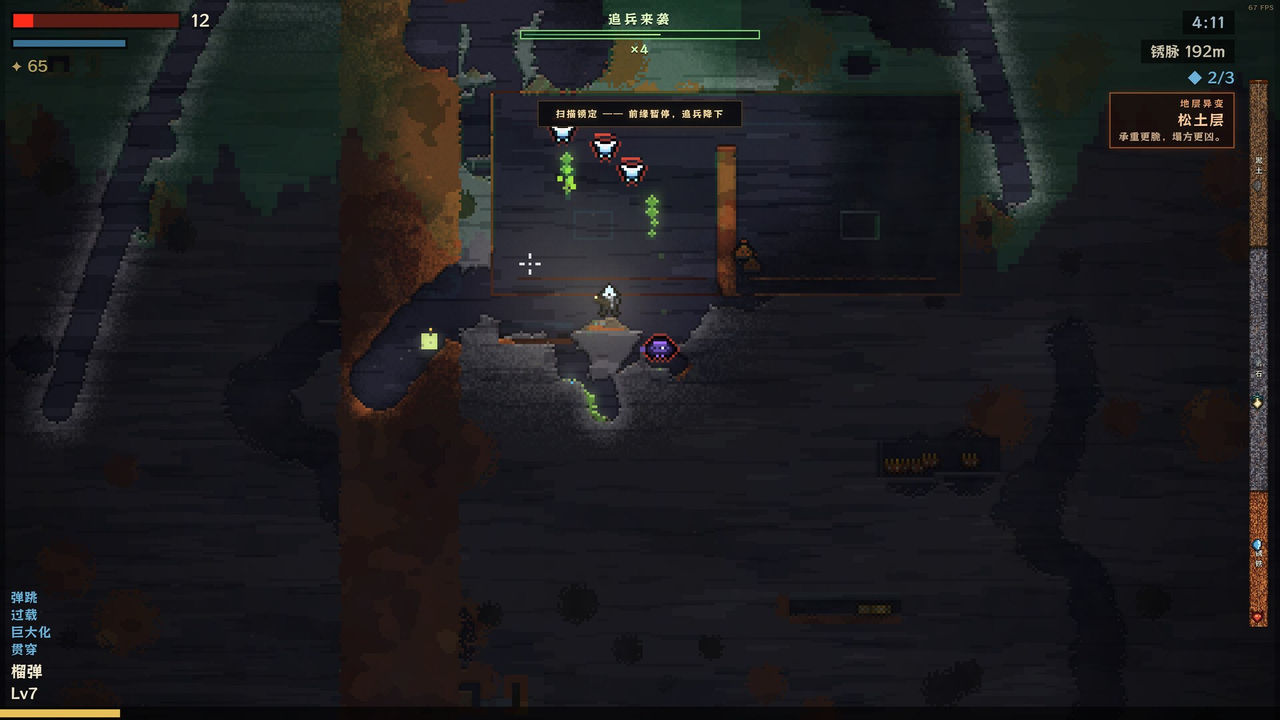
The categories are also the only hint that the control scheme can be softened at all, because nothing on the page describes an accessibility menu, a hold-versus-toggle option or a sensitivity slider.
Key Bindings and Remapping
There is no published key map for DustFall, and that is worth stating plainly rather than guessing at a layout. The store description talks about firing payloads, digging and detonating terrain, so a move-and-shoot scheme with a dig or fire action is implied by the game's own verbs, but implying is not documenting.
The same applies to remapping. The store API would normally expose a category for it if the game supported it, and the nine categories listed contain no such entry. Until LeoGame or the game's own settings menu publishes a binding list, the honest status for both the default layout and any rebinding option is not documented yet. If you want the systems those bindings drive, the gameplay page covers the descent loop, and the payloads page covers what the fire button is pointed at.
FAQ
Does DustFall support controllers?
No controller support is listed. The Steam store API returns no controller support value for DustFall and the listing carries no full controller support category, so the documented input method is the standard desktop setup with keyboard and mouse.
What are the default DustFall key bindings?
Not documented yet. The store page does not publish a key map, and neither the store description nor the Steam community hub lists the individual bindings, so there is no official list to quote.
Can you remap the controls in DustFall?
Not documented yet. The store API lists Custom Volume Controls, Stereo Sound, Adjustable Difficulty and Playable without Timed Input, but no control-related category such as remapping or full controller support, so rebinding is unconfirmed.
Can DustFall be played without timed input?
The store page lists Playable without Timed Input and Playable at your own pace as categories, which is the closest official statement about input flexibility. It does not specify an assist mode, and the surface scan still closes in as part of the design.
Which platform can you play DustFall on with a keyboard?
Windows only. The store API reports the Windows flag as true and both macOS and Linux as false, and there is no mobile or console listing, so keyboard and mouse input on a Windows PC is the only documented way to play.
More in Mechanics
More mechanics pages in DustFall.
- DustFall Cataclysm Mode — The Post-Ending Mode on SteamGuideUpdated 2026-10-14
- DustFall Features — Destructible Terrain, Payloads and Six RuinsGuideUpdated 2026-10-14
- DustFall Gameplay — The Descent Loop, Payloads and the Surface ScanGuideUpdated 2026-10-14
- DustFall Hunters — The Surface Scan and How It Finds YouGuideUpdated 2026-10-14
References
Facts on this page are compiled from the references above. Items marked "to confirm" are single-source and not yet verified.