
CONVRGENCE · VR · Platform
Convrgence VR Guide — SteamVR Setup, Comfort and Controls
Convrgence VR guide: SteamVR requirements, comfort and teleport options, palm versus finger grabbing, extraction rules, and the Quest 2 status.
By the New Game Wiki team · Updated 2026-10-04
On this page (10)
- Is CONVRGENCE VR Only
- SteamVR Setup and Comfort Options
- Controls: Palm Grabbing and Bolt-Action Rifles
- Seated, Left-Handed and Teleport Play
- Known Issues and What Is on the Roadmap
- Is CONVRGENCE VR only?
- What are the CONVRGENCE VR requirements?
- How does grabbing work in CONVRGENCE VR?
- Can you play CONVRGENCE seated?
- Does CONVRGENCE have teleport movement?
CONVRGENCE VR is a PC VR experience with no flat-screen fallback: Steam lists the game as VR Only and names SteamVR as its VR support, so a headset and a capable PC are part of the requirement rather than an optional upgrade. The good news is that the developer has treated comfort as a first-class feature, listing seated mode, left-handed mode, and multiple movement and turning styles, and answering control questions directly in the Steam discussions. This page covers the setup requirements, the comfort options, how grabbing and weapon handling actually feel, and the documented issues worth knowing before you buy.
This page is compiled from the official Steam store page and the developer's replies in the Steam discussions; unreleased features and single-player reports are marked to confirm.
Is CONVRGENCE VR Only
Yes, and the store page is unambiguous about it. Steam marks the game VR Only and lists SteamVR under the requirements, and there is no non-VR category anywhere in the listing, so anyone without a headset cannot play the current release. That matters for buyers because the game's whole interface philosophy depends on VR: the store page promises diegetic interfaces with no floating windows and no laser pointers, which only works if your hands and your head are the controller. If you are looking for a desktop extraction shooter, this is not that.
The VR-only choice also explains the performance target. Because both eyes render the procedural zone and the physical inventory you handle, the minimum GPU is a GTX 1070 or RX 580 with 6 GB of VRAM, which is a real step above flat-screen minimums for a game of this scale. The store notes also recommend installing on an SSD, advice that matters when the zone streams in around you while you are moving and looting.
| Requirement | Steam minimum |
|---|---|
| Operating system | Windows 10, 64-bit processor and OS required |
| Processor | Intel Core i5-4590 or AMD FX 8350 |
| Memory | 8 GB RAM |
| Graphics | GTX 1070 or RX 580 with 6 GB VRAM |
| Storage | 14 GB available space, SSD strongly recommended |
| VR support | SteamVR |
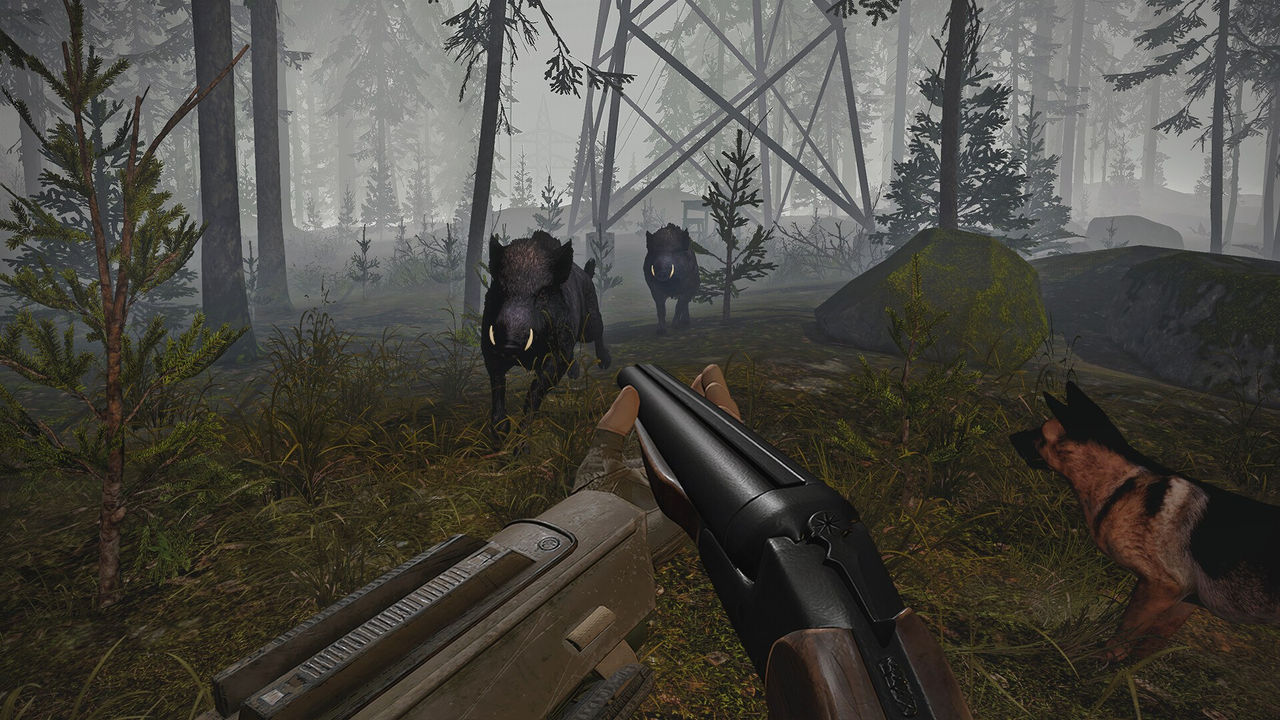
SteamVR Setup and Comfort Options
Setup follows the normal SteamVR path, but the game adds comfort switches that are worth setting before your first raid. In a Steam discussion about quality of life, a player noted that holster height needed adjusting for seated play, and the developer replied that belt height is adjustable, along with how far forward the holster sticks out, and pointed the player to the Player and Belt Height settings. The recorded launch session shows the same menu in use, with the player changing hip holster height before starting, which is a good indicator that the defaults are not tuned for every body.
| Comfort option | What it changes |
|---|---|
| Seated mode | Lets you play without standing for the whole raid |
| Left-handed mode | Mirrors the control scheme for left-handed players |
| Movement and turning styles | Includes options such as teleport, listed on the store page |
| Belt and holster height | Adjusts where your gear sits and how far forward it protrudes |
| Sprint behaviour | The recorded session switches sprint to a hold input rather than a toggle |
- Run the tutorial before a real raid, because it teaches the physical inventory actions under low pressure.
- Set belt and holster height while seated if that is how you play, since the default may sit too low.
- Choose a turning style you are comfortable with before you enter a zone, not mid-fight.
- Decide on a sprint input early, because the recorded session found a hold-to-sprint setting more comfortable.
Controls: Palm Grabbing and Bolt-Action Rifles
Two control debates dominate CONVRGENCE VR discussion, and both are documented by the developer himself. The first is distance grabbing: the game picks up distant objects in the direction your palm faces, and a player argued that pointing with the front of the fist is more accurate. The developer replied that he prefers the palm approach because people reach with an open hand in real life, that most players in a Discord poll voted to keep it, and that a switchable option may be added later. The second is bolt-action rifles, which the developer confirmed had a physics bug when the rifle is held by the foregrip, making the bolt hard to operate; operating the bolt with the off-hand works better, and a fix was planned.
- Distance grabbing uses the palm direction, and a finger-pointing toggle is only a possible future option.
- Bolt-action rifles work best when you cycle the bolt with your off-hand rather than while gripping the foregrip.
- The developer acknowledged the bolt physics bug and planned a fix, so check whether your build still shows it.
- Practice the reload and bolt cycle in the tutorial, since both are physical actions rather than button presses.
Seated, Left-Handed and Teleport Play
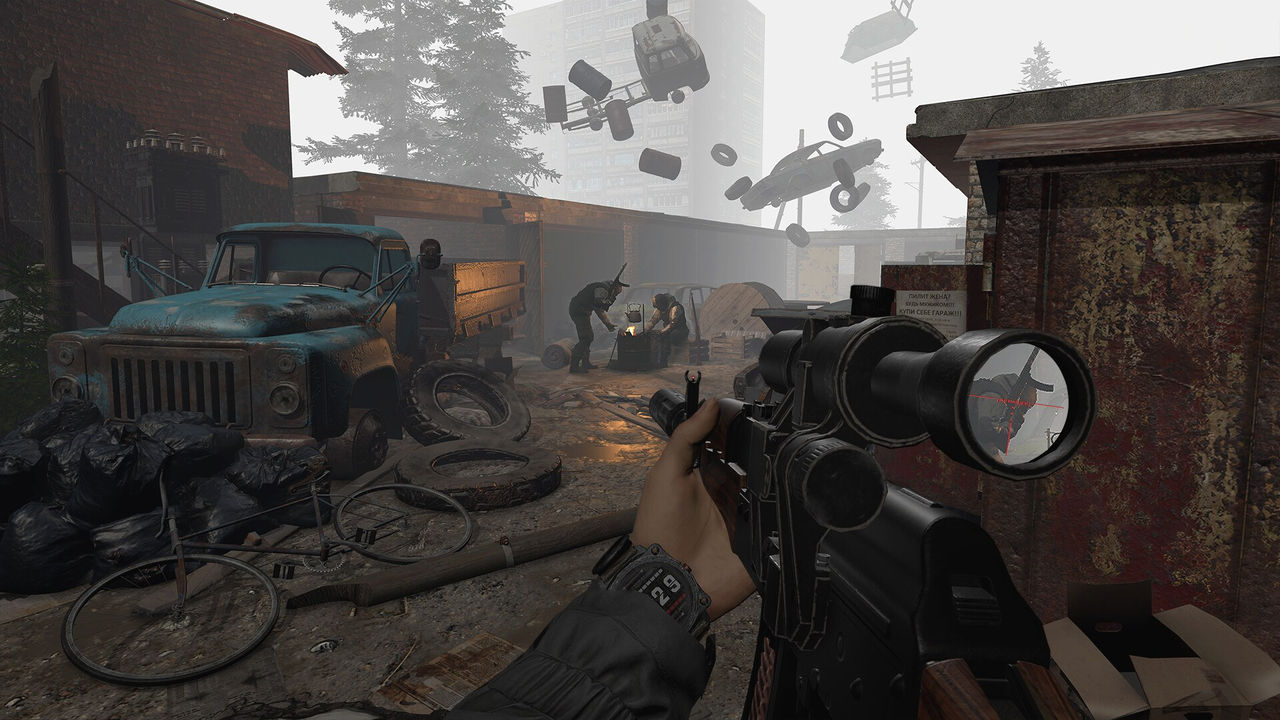
The accessibility list is genuinely unusual for an extraction shooter, and it changes how the game can be played. Seated mode means a full raid does not require standing, and left-handed mode mirrors the controls for players who hold their dominant hand the other way. Teleport movement exists alongside smooth locomotion, which is a common comfort choice for players sensitive to artificial movement. The developer also responded to a teleport-specific complaint: a player reported that the Forest map boundary is unclear in teleport mode and that they ended up in white fog without knowing they had left the play area. The developer acknowledged that the Forest was among the last locations added and that the boundary needs improvement.
| Play style | Documented support | Caveat |
|---|---|---|
| Seated | Seated mode is listed in the accessibility options | Adjust belt height to suit a seated posture |
| Left-handed | Left-handed mode is listed | No extra configuration documented |
| Teleport | Listed among movement and turning styles | One player reported unclear boundaries on the Forest map |
| Smooth locomotion | Multiple movement and turning styles are listed | Individual comfort varies, so test in the tutorial |
- Test teleport boundaries in an easy zone before relying on that style in the Forest.
- Combine seated mode with a belt-height change rather than only changing posture.
- Re-check comfort settings after a patch, since the developer keeps refining controls.
- Treat the palm-grab toggle and the bolt-action fix as planned rather than shipped, and verify in game.
Known Issues and What Is on the Roadmap
The community-facing issues are documented rather than rumoured, which makes them easy to plan around. A player reported that weapons carried in hand are dropped when you leave a level, which makes bringing a newly found weapon home frustrating, and the developer replied that extracting with weapons in hand is already on the roadmap but is blocked by challenges with the current save system. That answer is useful because it tells you the limitation is real and known. On the control side, the bolt-action physics issue was acknowledged with a fix planned, and on the comfort side, the Forest teleport boundary was accepted as something to improve.
| Issue | Developer response |
|---|---|
| Weapons in hand drop on level exit | On the roadmap; blocked by the current save system |
| Bolt-action rifle bolt hard to move | Acknowledged as a physics bug; fix planned |
| Forest boundary unclear in teleport mode | Acknowledged; the Forest was a late addition that needs work |
| Controller hands twisted at the main screen | Developer pointed the player to a dedicated troubleshooting thread |
Once the headset side is settled, the gameplay page explains the raid loop, the tips page covers loot and nightfall habits, and the mods page lists the community add-ons built for the VR build.
FAQ
Is CONVRGENCE VR only?
Yes. Steam lists VR Only in the category list and shows SteamVR as the VR support, so there is no flat-screen mode documented. A PC VR headset and a capable PC are required.
What are the CONVRGENCE VR requirements?
The Steam minimum lists Windows 10 64-bit, an Intel Core i5-4590 or AMD FX 8350, 8 GB of RAM, a GTX 1070 or RX 580 with 6 GB of VRAM, 14 GB of storage, and SteamVR. The notes strongly recommend installing the game on an SSD.
How does grabbing work in CONVRGENCE VR?
The game uses palm-direction grabbing for distant objects, and the developer explained the choice in a Steam discussion, noting a Discord poll where most players voted to keep it. A finger-pointing option has been floated as a possible future toggle, so treat it as unconfirmed.
Can you play CONVRGENCE seated?
Yes. Seated mode is listed among the accessibility options, and the developer confirmed in a Steam discussion that belt and holster height are adjustable, including how far forward the holster sits, which matters for comfortable seated play.
Does CONVRGENCE have teleport movement?
Yes, teleport is one of the multiple movement and turning styles the store page lists. A player did report that the Forest map boundary is unclear in teleport mode, and the developer acknowledged that the Forest was one of the last locations added and that the boundary needs improvement.
More in VR
More vr pages in CONVRGENCE.
- Convrgence Mods — The Nexus Mods Collection ExplainedGuideUpdated 2026-10-04
References
- CONVRGENCE on Steam
- CONVRGENCE — quality of life and first impressions (Steam discussion)
- CONVRGENCE 1.0 Is Here… I’m Starting From Nothing (YouTube)
- Loot — CONVRGENCE Wiki (Fandom)
Facts on this page are compiled from the references above. Items marked "to confirm" are single-source and not yet verified.