
CONVRGENCE · Community · Index
Convrgence Discord — Official Invite and Community Help
Convrgence Discord: the official invite the developer posted, how to join, and the active community channels around this VR extraction shooter.
By the New Game Wiki team · Updated 2026-10-04
On this page (8)
- The Official CONVRGENCE Discord Invite
- What the Discord Is Used For
- Getting Help and Reporting Issues
- What is the official CONVRGENCE Discord invite?
- Why does the CONVRGENCE Discord invite say invalid?
- Where do I get CONVRGENCE help?
- Is the CONVRGENCE Discord official?
- What is discussed in the CONVRGENCE Discord?
CONVRGENCE Discord is the game's main community hub, and it exists in a slightly confusing state: the developer posted a permanent invite at discord.com/invite/9t79QCHvPc, but several players in the same thread reported it failing, and the developer created discord.gg/FVtF8nEN as an alternative. The resolution in that thread is useful, because the player who got in said the invite only worked when opened inside the Discord app rather than in a browser. This page covers the documented invites, what the server is used for, and how to get help when a control or comfort issue comes up.
This page is compiled from the documented Steam discussion about the Discord invite and the developer's replies; the invite behaviour is reported by players in that thread and is marked to confirm where it varies.
The Official CONVRGENCE Discord Invite
The evidence for the server being official is the developer's own post. In a Steam discussion thread titled "Discord server invite", a player asked for a working link, and the developer replied with discord.com/invite/9t79QCHvPc and described it as the permanent invite on the Steam page. When the player said that link returned an invalid invite, the developer created discord.gg/FVtF8nEN, and the player confirmed it worked when used inside the Discord app. That sequence is why both links appear in community posts, and why the browser versus app distinction matters.
| Link | Documented status |
|---|---|
| discord.com/invite/9t79QCHvPc | The developer-described permanent invite from the Steam page |
| discord.gg/FVtF8nEN | An alternative the developer created when the first link failed for a player |
| Steam discussion thread | The public record where both invites and the browser caveat appear |
What the Discord Is Used For
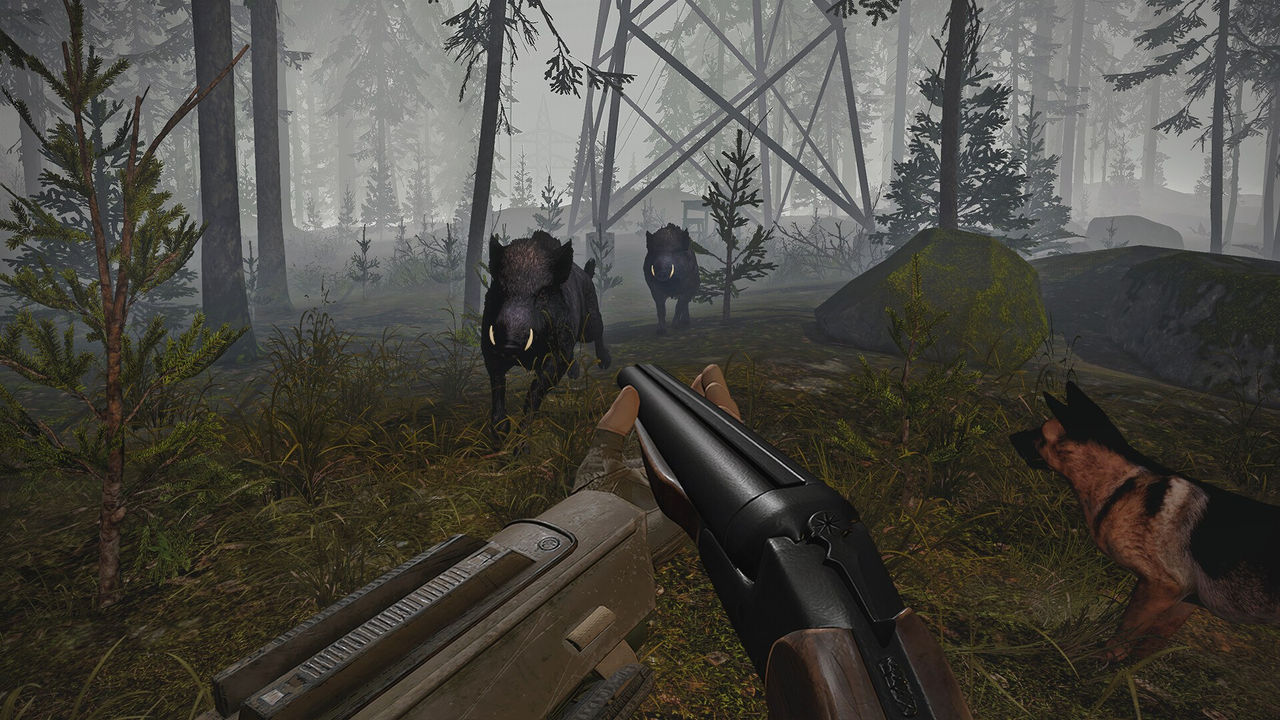
The server functions as both a community space and a feedback channel, and the developer is visibly present. The clearest documented example is the palm-grab debate: when a player raised the control scheme in a Steam discussion, the developer replied that he had run a Discord poll about it and that most players voted to keep the current system, which shows the server feeding design decisions. The other common uses are bug reports, such as the controller hand-orientation issue where a player could not get past the main screen, and general questions about the extraction loop, the dog, and comfort settings.
| Use | Documented example |
|---|---|
| Design feedback | The developer referenced a Discord poll about the palm-grab control scheme |
| Bug reports | Players raise issues such as controller hands twisted on the main screen |
| Comfort and setup help | Belt height and seated-play questions have been answered by the developer |
| General community | Players discuss raids, loot, and the 1.0 release content |
- Use the server for control and comfort questions, since the developer answers them there and in the Steam discussions.
- Check the pinned messages before asking, because the invite situation and common fixes are recurring topics.
- Report bugs with your headset model and controller, because behaviour varies by setup.
- Read the Steam discussion threads as a public mirror of community questions if you prefer not to join.
Getting Help and Reporting Issues
The most effective way to get help is to bring specifics, because the documented issues are setup-dependent. If a controller renders with twisted hands, the developer pointed the player to a dedicated Steam troubleshooting thread rather than a generic answer, which suggests the fix depends on the headset and runtime. If joining the server fails, the app-versus-browser detail from the invite thread is the first thing to try. And if you are asking about a control design choice such as palm grabbing, expect the developer's design rationale rather than a change, since the current behaviour is deliberate and a toggle is only a possibility.
- Copy the invite into the Discord app rather than a browser if the link reports invalid.
- State your headset and controllers when reporting a control problem, since fixes differ by hardware.
- Search the server and the Steam discussions before posting, because several issues are already documented.
- Separate a design disagreement from a bug, because the developer responds differently to each.
| Problem | First thing to try |
|---|---|
| Invite says invalid | Open the invite inside the Discord app rather than a browser |
| Controllers render twisted | Check the developer-linked troubleshooting thread for your headset |
| Grabbing feels inaccurate | Practise the palm direction first; a finger-pointing toggle is only planned |
| Comfort issues when seated | Adjust belt and holster height in the Player settings |
For the systems these questions come from, the vr page covers headset setup and controls, the tips page covers loot and survival, and the review page collects the documented feedback in one place.
FAQ
What is the official CONVRGENCE Discord invite?
The developer posted https://discord.com/invite/9t79QCHvPc as the permanent invite linked from the Steam page, and also created https://discord.gg/FVtF8nEN as an alternative when some users reported the first link failing in a browser.
Why does the CONVRGENCE Discord invite say invalid?
Some players reported the invite failing in a browser even though the developer confirmed it works. In the original thread, the player who succeeded said the invite only worked when opened inside the Discord app rather than via a web browser, so try pasting it into the app.
Where do I get CONVRGENCE help?
The Discord server is the main place, and the developer is active there, answering control and comfort questions directly. The Steam discussions are the other channel, and the developer has linked dedicated troubleshooting threads for specific problems such as controller hand orientation.
Is the CONVRGENCE Discord official?
Yes. The developer, posting as NikZ, shared the invite in a Steam discussion and described the Steam page link as a permanent invite, so the server is developer-run rather than a fan server.
What is discussed in the CONVRGENCE Discord?
Control and comfort feedback, bug reports, and design polls. The developer has referenced a Discord poll about the palm-grab control scheme, which is a good example of the server functioning as a feedback channel between players and the developer.
More in Community
More community pages in CONVRGENCE.
- Convrgence Review Roundup — Steam Scores and Player FeedbackPageUpdated 2026-10-04
References
- Discord server invite — CONVRGENCE Steam discussion
- CONVRGENCE — Steam Community Hub
- CONVRGENCE on Steam
Facts on this page are compiled from the references above. Items marked "to confirm" are single-source and not yet verified.