
Pumpkin & Patch · Mechanics · Guide
Pumpkin & Patch Controls
Pumpkin & Patch controls: full gamepad support with DualShock and DualSense, a Gamepad Recommended tag, and what the ranged attack and parry do.
By the New Game Wiki team · Updated 2026-10-12
On this page (7)
- Does Pumpkin & Patch Support Keyboard and Controller?
- What the Controls Actually Do
- What Is Not Documented About Controls
- Does Pumpkin & Patch support controllers?
- Can you play Pumpkin & Patch with keyboard and mouse?
- Can you remap controls in Pumpkin & Patch?
- What do the control inputs actually do in Pumpkin & Patch?
Pumpkin & Patch controls are documented only at the level of input support, not button bindings. The official store page lists full controller support, names DualShock and DualSense controllers, and carries a Gamepad Recommended tag, while nothing on the page publishes a key map. So the honest short answer is: play it with a gamepad, keyboard input is not ruled out, and the exact bindings are not documented yet.
Does Pumpkin & Patch Support Keyboard and Controller?
| Input question | What the store page says |
|---|---|
| Platform | Windows |
| Full controller support | Yes, listed as a Steam feature |
| DualShock support | Yes, named on the store page |
| DualSense support | Yes, named on the store page |
| Gamepad Recommended tag | Yes |
| Published key bindings | No, not listed |
The page is unusually specific about which controller families it supports, which is a good sign for gamepad players, and equally clear about platform: Windows only. It does not describe the on-screen prompts, the default layout, or whether the game switches prompts when you plug a controller in.
What the Controls Actually Do
The store page describes actions rather than buttons, and those actions are what your inputs drive.
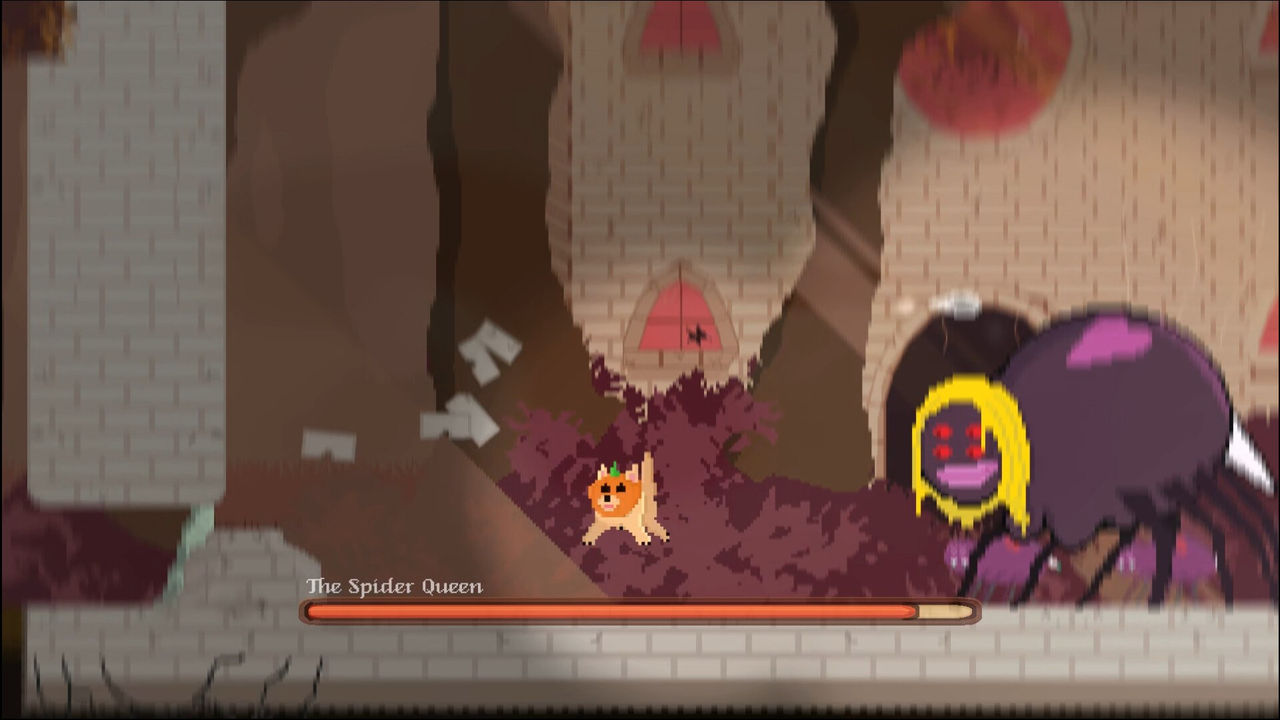
Your default attack is ranged and projectile based, and the modern twist is a limited parry that deflects projectiles back at enemies, stuns melee attackers and heals the player. Movement expands as you find abilities: Pumpkin's Embershot lets Patch jump higher than any dog, and Patch can learn to freeze water into icebergs that he controls.
- Attack: a ranged projectile, the default way to fight.
- Parry: a limited, timed action that turns attacks back, stuns melee and heals.
- Movement: boosted by abilities such as Embershot and the controllable icebergs.
What Is Not Documented About Controls
The listing stops short of a button guide. There is no keyboard key list, no controller button map, no mention of remapping, sensitivity options or accessibility rebinds, and no statement about whether prompts adapt to the connected device. What the page does document on the comfort side is Camera Comfort, Custom Volume Controls, Playable at Your Own Pace and Playable without Timed Input, all of which describe how forgiving the game is rather than how it is bound. A full control scheme is therefore not documented yet. For the loop those controls drive, see the gameplay page, and for the abilities they unlock, the abilities page.
FAQ
Does Pumpkin & Patch support controllers?
Yes. The official store page lists full controller support, names DualShock and DualSense controller support specifically, and carries a Gamepad Recommended tag. Because combat is built around aiming ranged projectiles, the page points toward a gamepad as the intended input rather than a keyboard.
Can you play Pumpkin & Patch with keyboard and mouse?
The game is on Windows and nothing in the listing rules out keyboard input, so it is playable without a controller. The store page does not publish a key list or claim mouse aiming, so the exact keyboard and mouse bindings are not documented yet.
Can you remap controls in Pumpkin & Patch?
Not documented yet. The store page lists full controller support and a Gamepad Recommended tag, but says nothing about key rebinding, controller remapping or preset layouts. Whether any input can be customised is not stated on the official listing.
What do the control inputs actually do in Pumpkin & Patch?
In gameplay terms the store page confirms two things your inputs drive. Your default attack is a ranged projectile, and the limited parry deflects projectiles back, stuns melee attackers and heals the player. Movement is expanded later by abilities such as Embershot, which lets Patch jump higher, and Patch's ability to freeze water into icebergs he controls.
More in Mechanics
More mechanics pages in Pumpkin & Patch.
- Pumpkin & Patch AbilitiesGuideUpdated 2026-10-12
- Pumpkin & Patch FeaturesGuideUpdated 2026-10-12
- Pumpkin & Patch GameplayGuideUpdated 2026-10-12
- Pumpkin & Patch TipsGuideUpdated 2026-10-12
References
- Pumpkin & Patch on Steam
- Steam appdetails API - Pumpkin & Patch (appid 3779090, cc=US)
- Steam Community Hub - Pumpkin & Patch
Facts on this page are compiled from the references above. Items marked "to confirm" are single-source and not yet verified.